
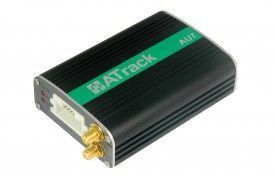


The ATrack AU7 is a highly advanced GPS/GLONASS vehicle tracking device that utilizes CDMA/UMTS/HSPA mobile communication technology. It offers a range of features and options that make it ideal for both basic and advanced tracking needs. With its custom reporting mechanism, users have the flexibility to tailor the device to their specific requirements. This not only ensures accurate and relevant data but also helps to optimize communication costs.
One of the standout features of the AU7 is its compatibility with external accessories such as RS-232, CAN Bus interpreter, and 1-Wire®. This allows for greater versatility and the ability to meet a wide range of project needs. Additionally, the device offers AES-128 data encryption, ensuring the security and privacy of the transmitted data.
The AU7 supports various wireless network options and enables data communication through SMS, USSD, TCP, and UDP. It also features a built-in 3-axis G-sensor, GPS antenna tamper detection, and vehicle speed sensor (VSS) support. With configurable real-time tracking and logging, users can easily monitor the whereabouts of their vehicles in real-time. The device also supports up to 64 user-defined geo-fences in circular, rectangular, and polygonal shapes, allowing for precise and customizable tracking zones.
Other notable features of the AU7 include FOTA firmware upgrade using FTP, roaming preference settings, harsh driving behavior event detection, configurable power management, and support for 2-way voice communication and wire-tap. It also supports 1-Wire® Dallas Key for driver identification, 1-Wire® temperature sensor, and Garmin® FMI 2.0 and above. With its intelligent event control engine, the AU7 provides a comprehensive and reliable tracking solution for various applications.
Set Up AU7
To set sPWtHK you need to configure as follows. With the following script
- Set ACC event
tbq0f1lxHnO
JCodoeyYr68c83mXaLYWzl5TuHlD
3G553jJW7L2Rlf61ntnL2hFNRlmK
ZSxeqQBfPrrJ6 - Set time interval to 60 seconds
PDSXjEbFEWF36PRbT8 - Set to binary mode
i2K1f3Ql6lZ7JUEbn - Set the GPRS server
qnncRaeIlqLlFwSXVJjsAcMTSiyn5ePqS3qUbHehFwVLHBGhSbqGb62ESo5aWyZFLNIX20fpR
To check device status PmJCK80QR


