Installation

GPS Tracking for Android Phones with Plaspy
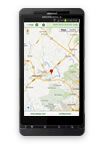
Turn your Android phone or tablet into a GPS tracking device with the Plaspy app. The device sends its location to your Plaspy account so you can view it on the map without buying a dedicated GPS tracker for that phone.
What can you do with Plaspy on Android?
- View its location on the map: check the position reported by the phone's GPS from your Plaspy account.
- Review previous trips: access up to one year of location history, along with statistics and reports.
- Receive alerts: stay informed about events configured for the device.
- Choose the tracking frequency: adjust the location update interval to balance tracking detail and battery use.
- Recover locations recorded offline: the app can store positions when there is no network connection and synchronize them when the phone reconnects.
- Resume after a restart: on supported devices, Plaspy can start with the phone to help keep tracking active.
What do you need to track an Android phone?
You need a compatible device with GPS, Internet access through mobile data or Wi-Fi, a Plaspy account, and an active subscription for the phone. To report while the screen is locked, Android must allow Plaspy to use location and run in the background.
Download Plaspy for Android from Google Play
Compatible with phones and tablets from Samsung, Motorola, Xiaomi, Huawei, and other manufacturers that support the app. Some features depend on the device model, Android version, and permissions granted.
You can also explore all Plaspy features.

GPS Tracking for iPhone and iPad with Plaspy
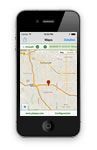
Use your iPhone or iPad as a GPS tracking device. The Plaspy app uses Apple Location Services to send the device's position to your account and display it alongside the other devices you manage.
Track location from one platform
- View the reported position: check the phone on the Plaspy map from another phone, a tablet, or a web browser.
- Review location history: see previous positions, trips, and statistics to understand where the device has been.
- Configure alerts and reports: receive useful information about phone activity and keep an organized record.
- Manage multiple devices: add the iPhone or iPad to the same account used for your phones, vehicles, or other compatible GPS trackers.
- Report in the background: with the correct permissions, Plaspy can use location even when the app is not visible on the screen.
Plaspy compatibility with Apple devices
The current version requires iOS 13.0 or later on iPhone and iPadOS 13.0 or later on iPad. The device must have Location Services enabled, an Internet connection, and permission for Plaspy to access location in the background. You also need a Plaspy account and an active subscription for the device.
Does Plaspy work while the iPhone is locked?
Yes, as long as Plaspy's location access is set to Always and the system is not limiting its background activity. Continuous GPS use can reduce battery life, so you can adjust the update interval to match the level of tracking you need.


